
Modbus Serial (RTU/ASCII)
The Modbus Serial connection type lets 2WinScada communicate with Modbus RTU or Modbus ASCII devices connected to a serial port of the 2WinScada server (RS-232, or an RS-485 converter). 2WinScada acts as the master (client) on the line.
- A channel represents one serial port. The serial port settings, timeouts and retry settings are defined on the channel.
- Each slave device on the same line is defined as a separate device under the channel, identified by its Slave Id value.
- The channel polls the active devices on the line one after another. A device that does not respond delays reading of the other devices on the line for the duration of its timeouts and retries.
The Connection Type list shows only the protocols that the license allows (see License).
Channel Definition
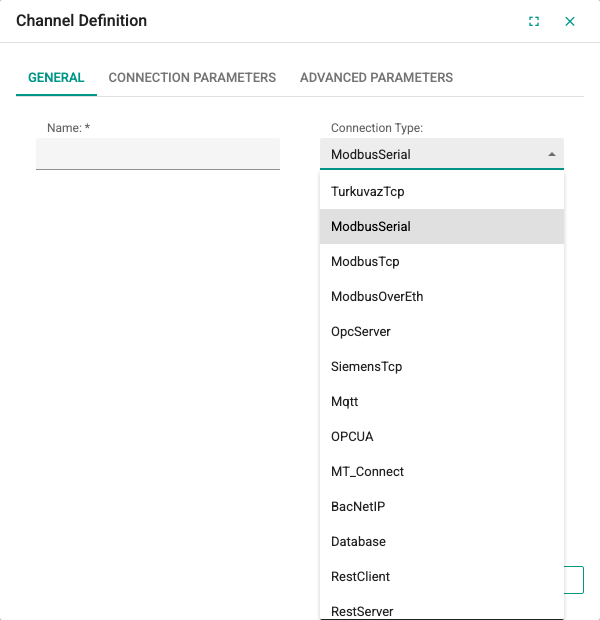
The new channel window opens with the “+” button in the channel list. The General tab contains these fields:
| Field | Description | Rule |
|---|---|---|
| Name | Unique name of the channel | Required; 3–50 characters; cannot start with a digit |
| Connection Type | Select ModbusSerial | Cannot be changed after the channel is saved |
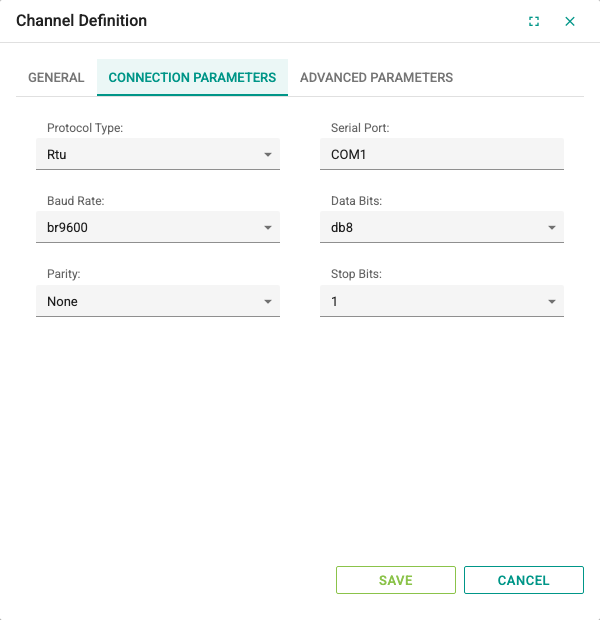
The serial port settings on the Connection Parameters tab must match the settings of the devices on the line:
| Field | Description | Default | Options |
|---|---|---|---|
| Protocol Type | Modbus frame type | Rtu | Rtu, Ascii |
| Serial Port | Name of the serial port on the server (e.g. COM3) | COM1 | Free text |
| Baud Rate | Communication speed | br9600 | br110, br4800, br9600, br14400, br19200, br38400, br57600, br115200, br128k, br256k |
| Data Bits | Number of data bits; applied to the serial port (usually db7 for Modbus ASCII devices) | db8 | db7, db8 |
| Parity | Parity bit | None | None, Odd, Even, Mark, Space |
| Stop Bits | Stop bits | 1 | 1, 2, 1.5 |
Most current energy analyzers and Modbus PLCs use the Rtu protocol type.
Limitations
- The 300 and 1200 baud speeds are not supported in this version.
- The Data Bits value is applied to the serial port; Modbus ASCII devices that use 7 data bits are supported. The db11 value left in old records is not supported, so the channel is opened with 8 data bits.
- Channels saved earlier with a Stop Bits value of None are opened with 1 at runtime.
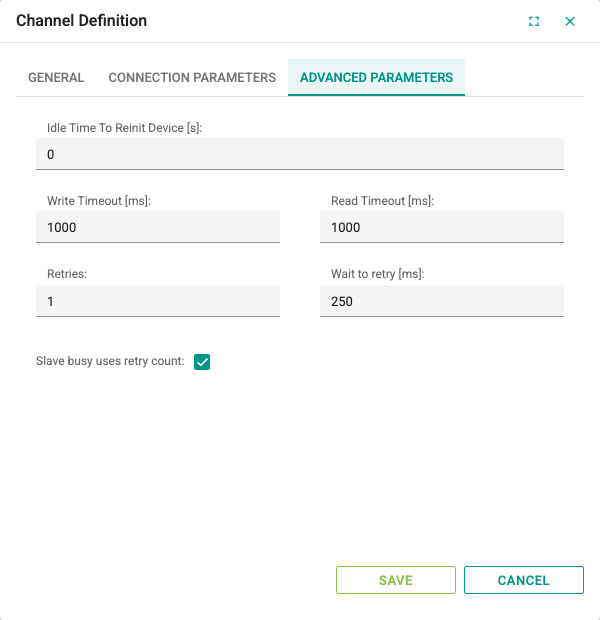
Advanced Parameters tab:
| Field | Description | Default | Range |
|---|---|---|---|
| Idle Time To Reinit Device [s] | If no successful read is made from any device on the line for this long, the serial port is closed and reopened. 0 turns the feature off. | 0 | 0–86400 |
| Write Timeout [ms] | Time to wait for the request sent to the device to be written | 1000 | Integer |
| Read Timeout [ms] | Time to wait for a response from the device. When it expires, the request counts as failed and the quality of the affected tags becomes Bad. | 1000 | Integer |
| Retries | How many times a request is repeated after a timeout or communication error. A value of 1 means at most two attempts. | 1 | Integer |
| Wait to retry [ms] | Time to wait before a retry | 250 | Integer |
| Slave busy uses retry count | If selected, "busy" (Slave Device Busy) responses from the device also count toward the Retries limit. If not selected, the request is repeated indefinitely as long as busy responses arrive. | Selected | — |
After entering all settings, click Save. The new channel appears selected in the channel list tree.
If the serial port cannot be opened, 2WinScada tries to reopen it after 30 seconds at the earliest; meanwhile the connection state of the devices on the channel shows as bad.
Device Definition
With the channel selected, the new device window opens with the “+” button in the device list. On the General tab, enter the Name (required, 3–100 characters, unique) and set Active. Inactive devices are not polled.
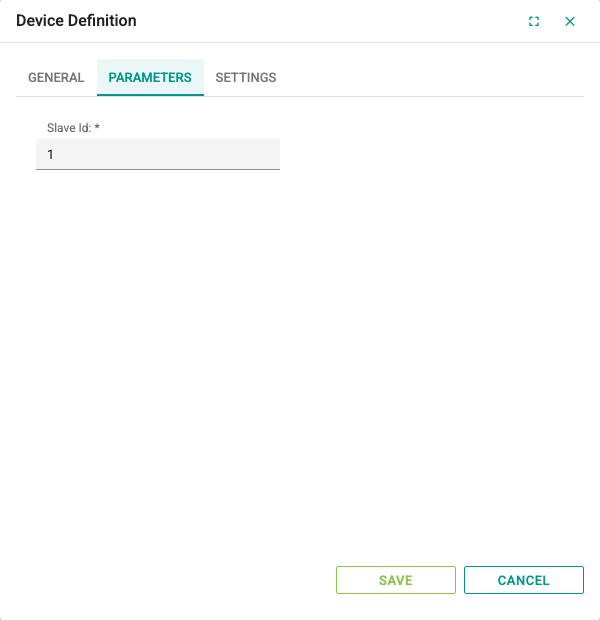
Parameters tab:
| Field | Description | Default | Rule |
|---|---|---|---|
| Slave Id | Modbus address of the device on the line | 1 | Required; 0–255. Must be different for each device on the line; the Modbus standard uses 1–247. |
The Settings tab defines how addresses and multi-register values are interpreted:
| Field | Description | Default |
|---|---|---|
| Zero Based | If selected, 1 is subtracted from the register number in the address before it is sent to the device (400001 → protocol address 0). If not selected, the number is sent as is. | Selected |
| First Word Low 32 Bit | Indicates that the first register of 32-bit and 64-bit values is the low word. If the device sends the high word first, clear this option. | Selected |
| First DWord Low 64 Bit | Indicates that the first two registers of 64-bit values are the low DWord. | Selected (if you use 64-bit tags, set it deliberately according to the device documentation) |
| Block Size | Maximum number of registers (bits for coils/discrete inputs) read in a single read request | 32 |
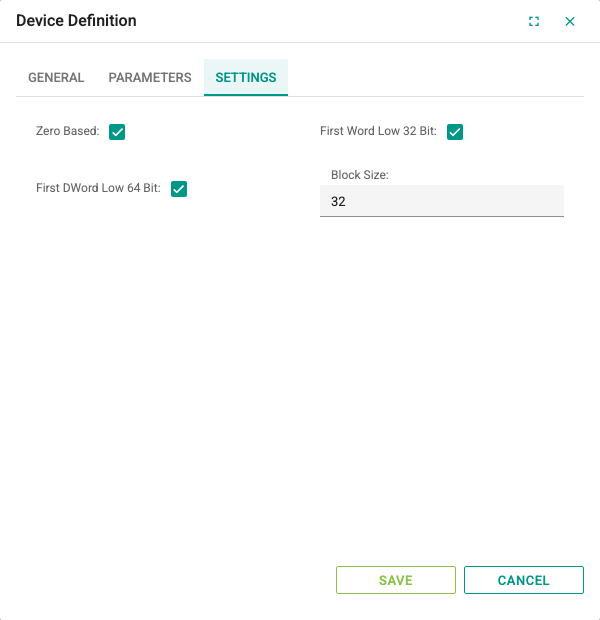
For details and the word order tables, see the Modbus Addressing page. Modbus Serial devices have no Advanced Parameters tab; the timeout and retry settings come from the channel.
Tag Definition
Tags are defined in the device's tag table in the same way as for other protocols (see Tag Management). Modbus-specific rules:
| Field | Modbus rule |
|---|---|
| Address | 6-digit Modbus address; the first digit is the area type (0 coil, 1 discrete input, 3 input register, 4 holding register). For register bits, use the suffix .0–.15 (e.g. 400010.3). |
| Data Type | Only Bool for coil and discrete input addresses. For register addresses, Bool (with a bit suffix) or numeric types. |
| Length | Always 1; the String type and arrays are not supported (see Modbus Addressing) |
| Update Interval[s] | 0.5–86400 seconds. Tags with the same interval are read together. |
| Read Only | Select it for addresses that start with 1 and 3 |
Details of the address format, data types, word order and read groups are on the Modbus Addressing page. For reusable register lists, see the Device Profiles page.
Troubleshooting
| Symptom | Checks |
|---|---|
| The connection of all devices on the channel is bad | Check that the Serial Port name matches the port on the server and that no other application is using the port. The port is reopened after 30 seconds at the earliest. |
| The device does not respond, tags are Bad | Compare the Baud Rate, Parity, Stop Bits and Protocol Type values with the device; check the Slave Id value, the RS-485 A/B wiring and the line termination. |
| All devices on the line update slowly | Set devices that do not respond to inactive; lower the Read Timeout [ms] and Retries values. Each failed request keeps the line busy for timeout × (retries + 1). |
| A Modbus ASCII device does not communicate | Check that Protocol Type is Ascii and that Data Bits matches the device (usually db7 for ASCII devices). |
| Values are shifted or meaningless | Check the Zero Based, First Word Low 32 Bit, First DWord Low 64 Bit and Data Type values (see Modbus Addressing). |
| All tags in a block are Bad | Lower the Block Size value; one of the addresses in the block may not be defined on the device. |
| Write fails | Check that the address starts with 0 or 4, the Read Only setting and the user's permission. |