
Task Centers
A task center is the unit that collects devices under a process group (process group → task center → device). When a device is added to a task center, the tags and alarms of the device belong to the process group of the task center; see Process Groups.
Select Settings > Task Centers in the left menu to open the task centers page. The page shows the Filters area at the top, the task center list in the middle and, optionally, the devices of the selected task center at the bottom.
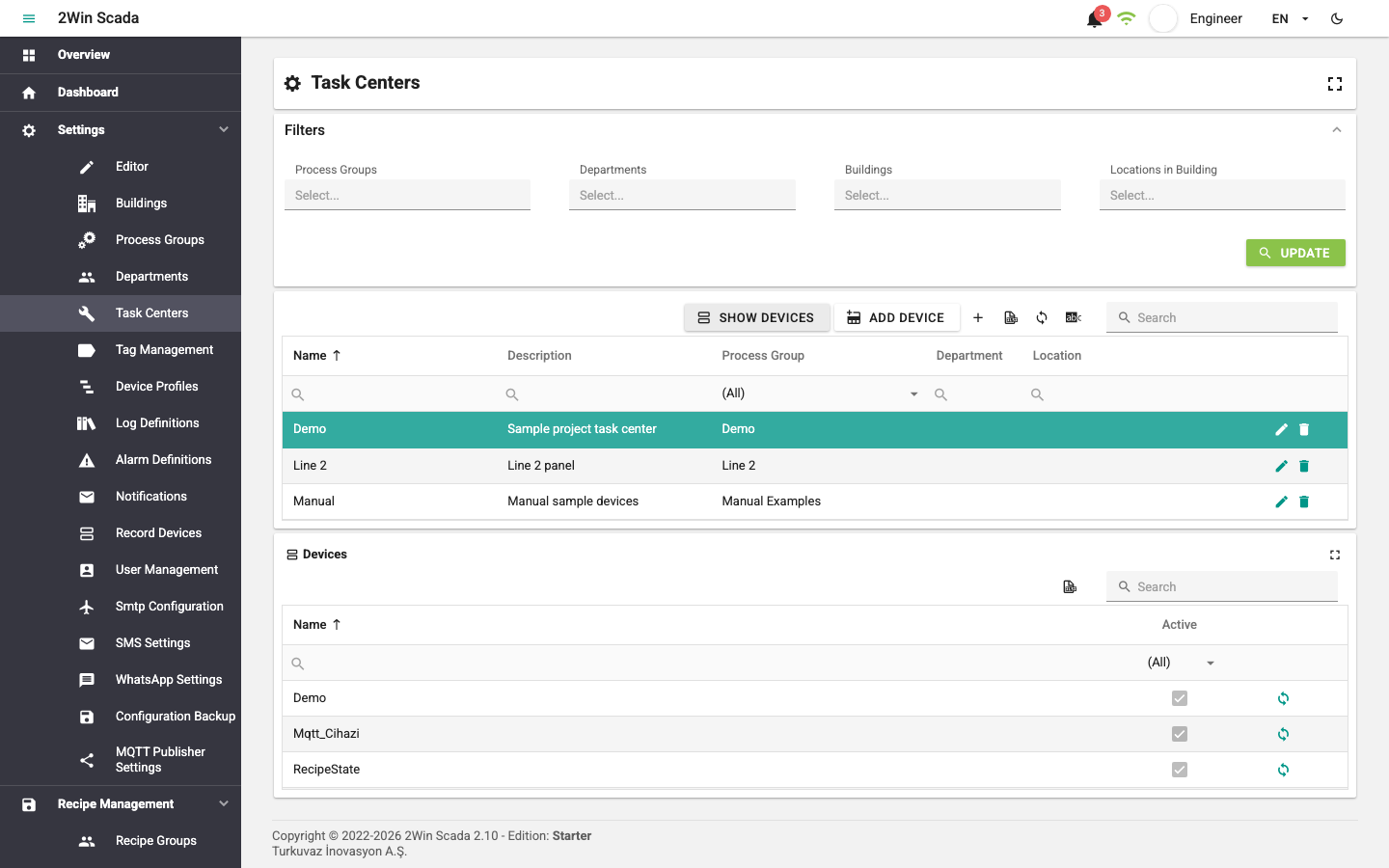
In the Filters section, select Process Groups, Departments, Buildings and Locations in Building to narrow the task center list. After making the selections, click the Update button.
The task center table has the Name, Description, Process Group, Department and Location columns. Unlike the other tables, the toolbar of this table has two extra buttons:
- Show Devices: Opens the Devices section under the table and lists the devices assigned to the selected task center. Click the button again to hide the section.
- Add Device: Opens a window for adding devices to the selected task center.
The toolbar also has + for a new record, Excel export, Refresh Data, Manage Translations and Search. Editing and deleting are done with the buttons at the end of the row.
Adding Devices to a Task Center
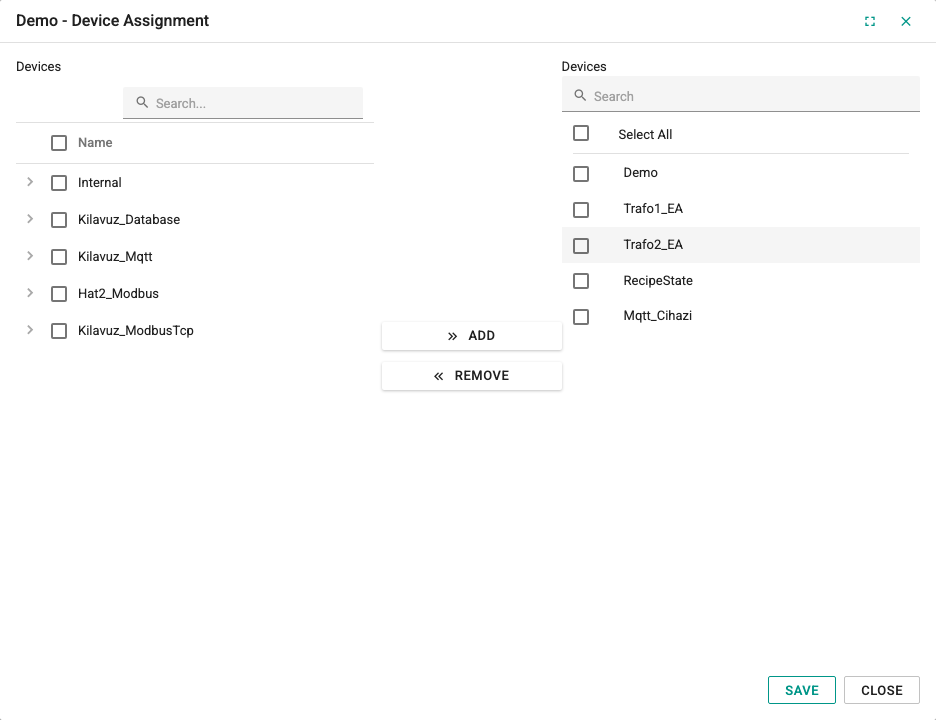
Clicking the Add Device button opens a window similar to the tag adding window of process groups. The window has the channel and device tree on the left, the Add and Remove buttons in the middle and the Devices list of the task center on the right.
- Select devices in the tree on the left with their check boxes and add them to the list on the right with the Add button.
- Select the devices to remove from the task center in the list on the right and remove them from the list with the Remove button.
The list on the right is taken as the current device list of the task center. Click the Save button to complete the operation.
Adding a New Task Center
Click the + button in the toolbar to open the TaskCenter Definition window.
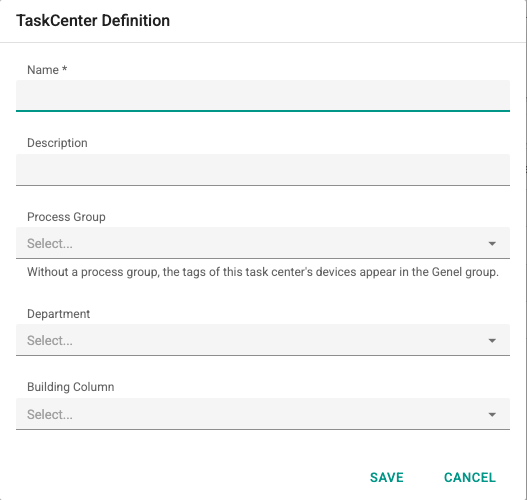
Name: Must be 3–50 characters long, must not start with a digit and must be unique.
Description: Optional description text; if entered, it must be 3–100 characters long.
Process Group: Select the process group the task center belongs to.
Department: The department the task center belongs to can be selected; see Departments.
Location: The location in the building where the task center is can be selected; see Buildings.
After filling in the required fields, click the Save button to save the task center.